
Brave Browser offline installer for Windows PC (2026)
Download the Brave Browser offline installer for Windows 64-bit, 32-bit or ARM64. Get the full standalone setup directly from Brave’s official GitHub releases.

Windows offline installerBrave Browser

Choose your Windows installer
About the offline installer
Just like Chrome, if you download the Windows version of Brave Browser, you get an online installer from Brave.com, the official website. BraveBrowserSetup.exe, a 1.5 Mb file, then downloads the 64-bit or 32-bit version of the software depending on the user’s hardware. You always need the internet to use a web browser like Brave. However, some people may want the Brave’s full and offline installer, for setting it up on multiple computers. Although it is not easily accessible, Brave also has a standalone installer for Windows PCs.
Besides browsing the web, regular users don’t benefit from using a Browser app like Chrome. Brave brings a new concept of paying users for viewing ads in their browsers while keeping their sessions more private and secure. We get BAT tokens for clicking the Brave ads that come as notifications on our browser. The value of 1 BAT is about $.20, and we can now convert the same into cash or cryptocurrencies .

The new versions of Brave Browser also allow users to redeem their ad rewards (BAT) to gift cards. Sign-up for an Uphold account, and do KYC to convert your earnings Gift vouchers for Amazon, Apple, Uber, Walmart, etc. through brave.tapnetwork.io portal.

You can download the Brave browser for Windows, macOS, Linux, and mobile devices and do online installation by visiting Brave.com. Also, if interested, check the release note page for the change log and new features in Brave 1.92.169.
Find standalone installers on GitHub
Time needed: 3 minutes.
As Brave.com doesn’t allow you to download the offline installer, we looked for alternatives. And we found the GitHub page of the Brave Browser that lists the latest versions of the app, in the beta, dev, and nightly release channels. Here is how to download the full installer of Brave browser 1.61 from the stable release section of this page.
- Find the latest version number of Brave Browser for Windows
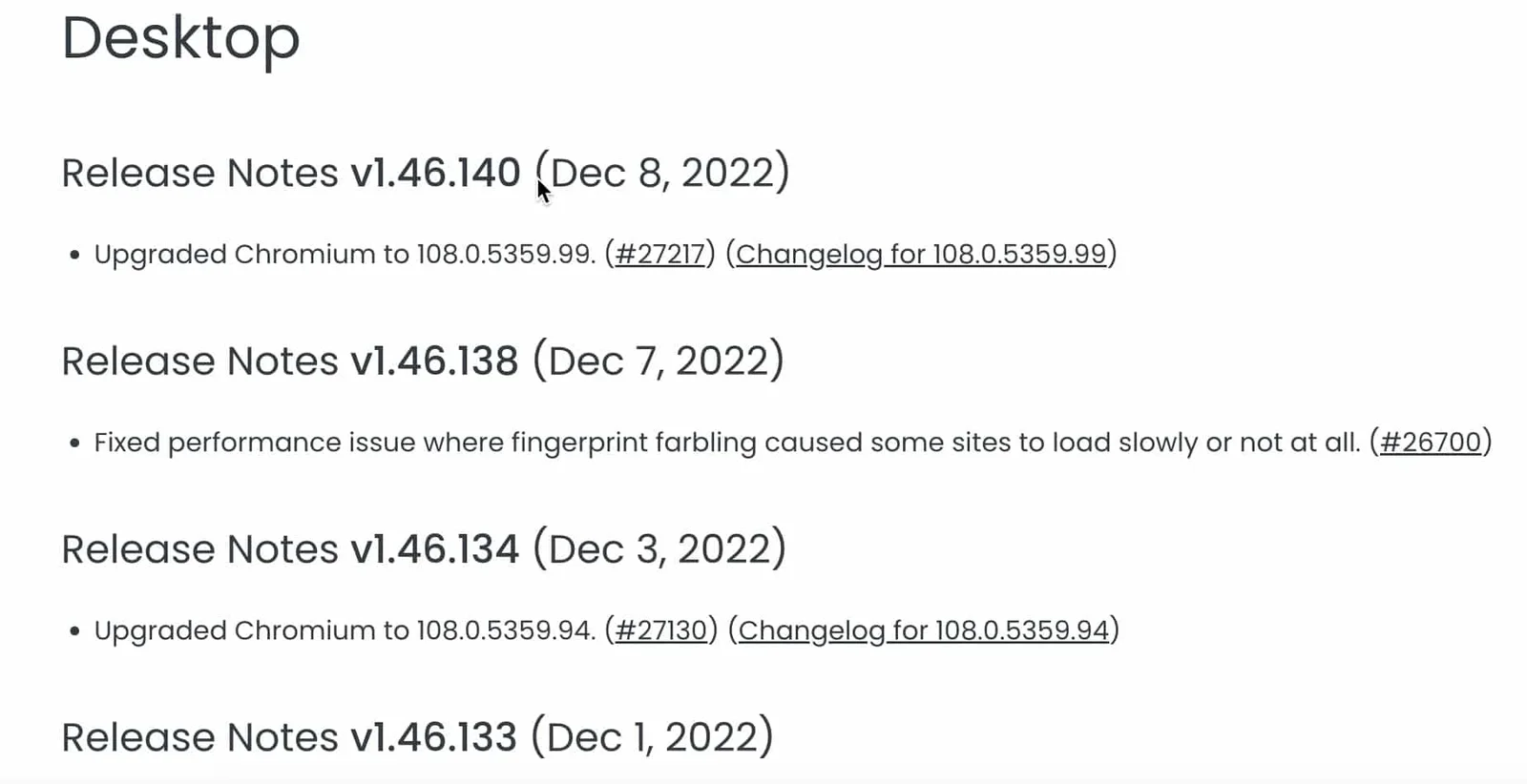
Note down the latest version number of the Brave Browser for Windows, from the change-log website. The newest release of Brave is 1.85.117, as of 19-12-2025.
- Open the Github page for Brave Browser.
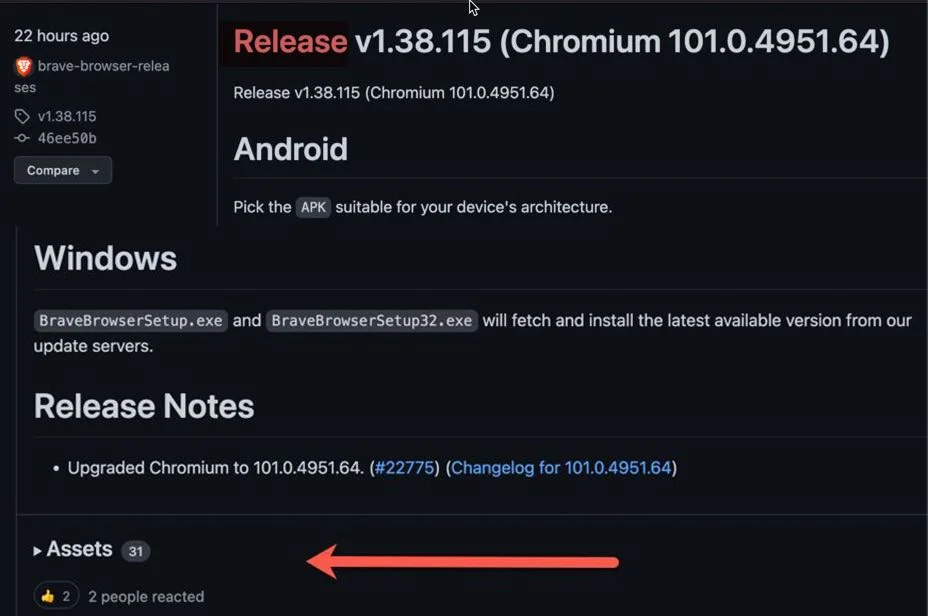
Scroll and find the section for the latest stable release channel for Brave 1.85, from the Github page and click on the “Assets” tab below the release notes.
- Download Brave offline installer 32-bit or 64-bit
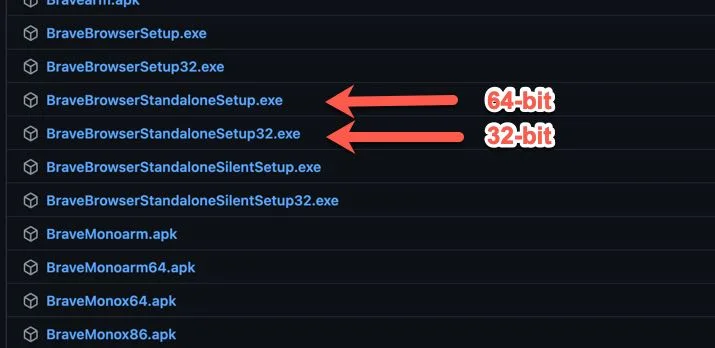
Now check for BraveBrowserStandaloneSetup.exe (64-bit) and BraveBrowserStandaloneSetup32.exe (32-bit) links. Click on one of the links to download the that version Brave as a full offline installer.


Other platforms and portable downloads
Tip: If you ever need, save the link location (that you get from GitHub) as a note on your PC. Later, if there is a new stable release, change the version number to download the updated Brave installer.
We suggest the above method as a simple alternative if we couldn’t update this page for future versions of the Brave. You can use the same GitHub page to download the Linux (RPM), Android (APK) and Mac (DMG) versions of the browser.
Now, if you are in a college or workplace where installations are prohibited, you can use the Brave portable edition as an alternative. Check our article on Brave portable for downloading it on 64-bit or 32-bit Windows PCs.